What are the best bike computers? We test our favourite 7 for cyclists
Bike computers will help you navigate when out on the bike, as well as take in important ride metrics. But which computer is worth your biking dollar? We test the best to find out...


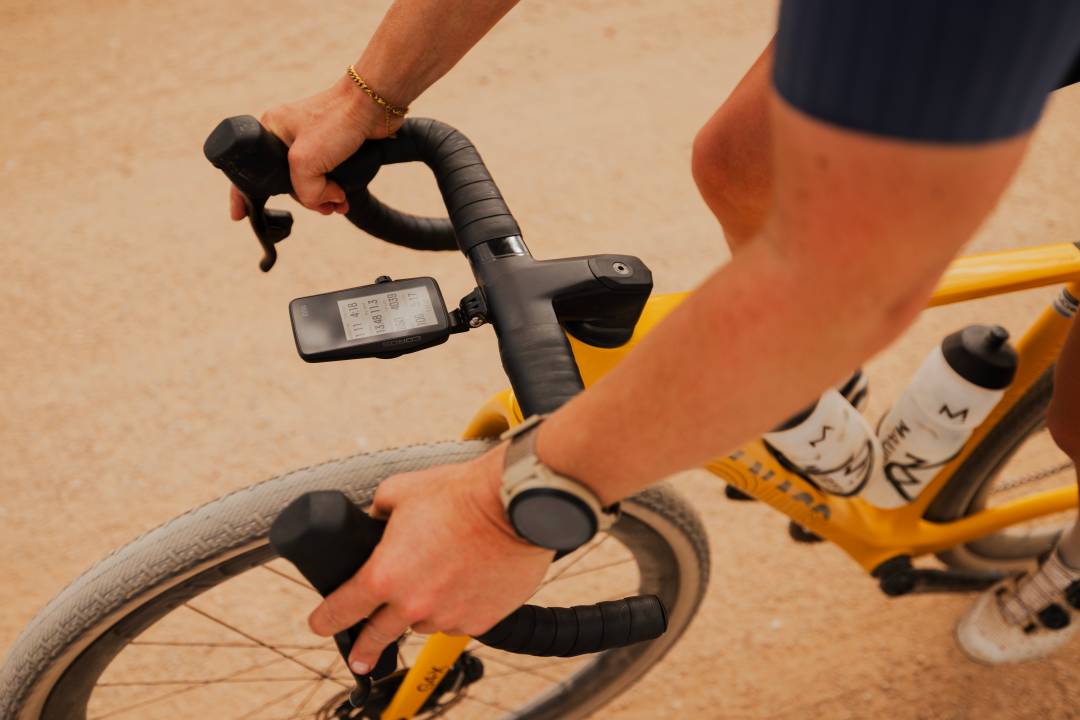
Bike computers are a staple of the triathlete’s gear armoury; in fact, they’re still omnipresent even when armed with a multisport watch.
That’s because by sitting on either your stem or bars, they’re easily seen no matter what speed you’re riding at. Read on for our complete list of the best bike computers for triathlon.
Why you can trust 220 Triathlon
Our team of experts rigorously tests each product and provides honest, unbiased reviews to help you make informed decisions. For more details, see how we rate and test products.
Best bike computers at a glance
More advanced features and a class-leading screen mean the Garmin Edge 1050 (buy) narrowly beats its rivals.
The Garmin Edge 1040 Solar (buy) combines a large, clear screen with superb mapping and run time.
The Stages L200 (buy) is a solid head unit currently available at a chunky discount.
Although we don’t think the Coros Dura (buy) is the finished product, its solar-boosted battery life is huge.
The best bike computers for triathlon in 2026
Best bike computer overall

1. Garmin Edge 1050
220 Triathlon verdict
If you want the best bike computer no matter the cost, the Garmin Edge 1050 fits the bill. Score: 88%
Pros
- Razor-sharp screen clarity
- Packed with tech
- Wonderful mapping
Cons
- Very expensive
| Specifications | Garmin Edge 1050 |
|---|---|
| Display | 3.5" / 88.9 mm diagonal, 480 x 800 pixels |
| Size | 2.4″ x 4.7″ x 0.6″ / 60.2 x 118.5 x 16.3 mm |
| Connectivity | WiFi, Bluetooth, ANT+ |
| Features | Multi-band GNSS, music controls, Live event sharing, turn-by-turn navigation, integrated bike bell, training plan and workout suggestions, IPX7 waterproofing |
| Battery | 20 hours heavy use (claimed) |
| Weight | 5.7oz / 161g |
The Garmin Edge 1050 trades the Edge 1040’s huge battery life for a brighter and clearer screen which is visible even in murky light. It will still run for a respectable 20 hours though. The brand also seems to have improved usability and made the touchscreen more responsive relative to the Edge 1040 while adding beneficial features.
You can now alert other cyclists to road hazards, make contactless payments and invite your mates to group rides. A-to-B navigation, where you enter a destination on the computer, is excellent, and the Edge 1050 will notify you when you’re about to hit a different surface.
Our tester found the GPS signal was accurate and sustained. Potentially, this explains why the Edge 1050’s sensitivity to gradient changes seems more acute. The Edge 1050 will connect to all the sensors and provide all the data you could wish for. Costing £20 more than the Edge 1040, the only real fault of this outstanding bike computer is the price.
Highly-rated bike computer
2. Garmin Edge 1040 Solar
220 Triathlon
A fantastic cycling computer that’s also one of the priciest around Score: 87%
Pros
- Faultless navigation
- Smooth set-up
- Vast battery life
Cons
- Very costly
| Specifications | Garmin Edge 1040 Solar |
|---|---|
| Display | 3.5″ (88.9 mm) diagonal, 282 x 470 pixels |
| Size | 2.3″ x 4.6″ x 0.8″ (59.3 x 117.6 x 20.0 mm) |
| Connectivity | WiFi, Bluetooth, ANT+ |
| Features | Multi-band GNSS, music controls, Live event sharing, turn-by-turn navigation, solar charging, IPX7 waterproofing |
| Battery | 45 hours heavy use (claimed) |
| Weight | 4.7oz / 133g |
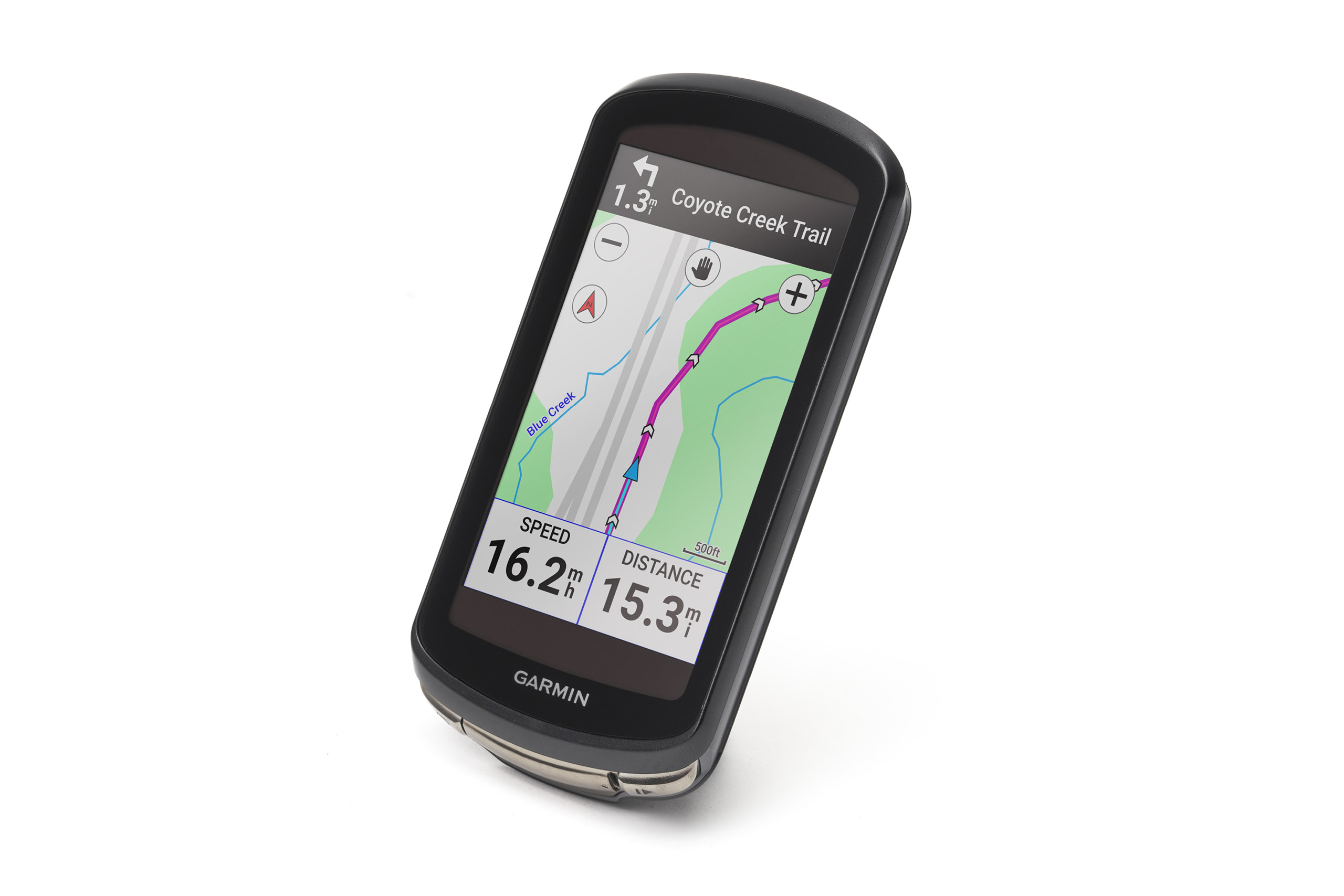
Given its price, you’d hope the Garmin Edge 1040 Solar has a lot going for it and, luckily, it does. Set up and connectivity with the Garmin Connect app and any sensors is painless, usability is impressive and the great touchscreen and buttons come together to form a winning combo.
It’s easy to load up routes via Garmin Connect and navigation is as good as you’d expect, too, with the accurate multi-band GPS doing its job well. The turn-by-turn directions and off-course rerouting both hold up to scrutiny, too.
There’s also a host of performance data, including recommended power targets, remaining stamina and training status, while you can even sync training plans. Battery life is up to 45 hours in heavy use, but you can get more out if it if you’re using less features.

3. Wahoo Elemnt Roam 3
220 Triathlon Verdict
Another user-friendly and advanced technologically GPS from Wahoo, let down by its app. Score: 83%
Pros
- New touchscreen with more colours
- Handy fresh features
- Longer battery life
- Better routing
Cons
- No in-app route creation
- More affordable Bolt will do for many
| Specifications | Wahoo Elemnt Roam 3 |
|---|---|
| Display | 2.8in screen, 320 x 480 pixels |
| Size | 3.8in x 2.1in x 0.78in / 96mm x 53mm x 24mm |
| Connectivity | WiFi, Bluetooth, ANT+ |
| Features | Colour mapping, integrated speaker, touchscreen and buttons, IPX7 waterproofing |
| Battery | About 20 hours (actual) |
| Weight | 3.8oz / 109g |
The third generation of the Wahoo Elemnt Roam gains a few new features, increased battery life and a touchscreen while keeping the side buttons. One of the most useful additions is the integrated speaker. You can use this as a bell and receive audio turn-by-turn directions.
Navigation remains very good with the Roam’s large and easy-to-follow screen. Route creation is still absent from the Wahoo app though, leading to syncing issue if you’re not a paid subscriber to the likes of Strava. Instead of 25 hours, actual run time is closer to 20 hours, which is still an impressively long time. Wahoo has done a good updating the Roam, so I think the extra tech warrants the $50 / £50 added to the price.
- Read my full Wahoo Elemnt Roam review

4. Bryton Rider S800 T
220 Triathlon Verdict
A decent bike computer but slightly rough around the edges Score: 77%
Pros
- Generously sized touchscreen
- Good navigation
Cons
- Underwhelming battery life
- No Wi-Fi
| Specifications | Bryton Rider S800 T |
|---|---|
| Display | 3.4in colour touchscreen, 272 x 451 pixels |
| Connectivity | ANT+, BLE |
| Battery | 36 hours (claimed) |
The Rider S800 T tops Bryton’s cycling computer range and looks the part with its 3.4-inch touchscreen and sleek profile. The touchscreen is simple to use but the closely spaced side buttons are trickier to press.
Bryton sells the bike computer in a bundle made up of a heart rate monitor and cadence and speed sensors. It’ll connect to all these and more sophisticated devices, such as power meters, electronic groupsets and rear-view radars.
Navigation generally works well and Bryton has its own climber feature, which alerts you to and previews upcoming climbs. To make the touchscreen easier to read, you have to turn the brightness up high, which drains the battery quicker than you’d hope. The Rider S800 T will pair to your phone via Bluetooth, but not Wi-Fi, unlike many of the best bike computers.

5. Wahoo Elemnt Ace
220 Triathlon verdict
A bold and sophisticated idea that isn’t the finished product yet. Score: 76%
Pros
- Long battery life
- Good, bright touchscreen
- Quality GPS and ride insights
Cons
- Heavy
- Expensive
- Wind pressure sensor needs finessing
| Specifications | Wahoo Elemnt Ace |
|---|---|
| Display | Touchscreen, 96.7mm |
| Connectivity | Bluetooth, ANT+ |
| Features | Wind sensor; dual-band GPS |
| Battery | 30 hours (backlight off) |
| Weight | 7.33oz / 208g |
Wahoo has supersized the Elemnt Ace in terms of its weight, screen, battery and price. In a first for the brand, the Ace gains a responsive and user-friendly touchscreen while retaining buttons to the side of and beneath the screen. I’m all for this because you can still operate the computer with winter gloves on.
Despite the screen’s enormous scale, its clarity isn’t up there with the best bike computers in this regard. The Garmin Edge 1050’s is brighter and crisper. Bread-and-butter functions like connectivity and navigation are as slick as you’d expect for a bike computer this expensive.
And then there’s the wind sensor, a novelty for any bike computer. I collected some interesting data from this in testing. It indicates to what degree your speed on a segment owed to the wind versus your own power, for example. But I wasn’t sure quite what to use this information for.
If the Wahoo does eventually upgrade this technology or the Ace itself into an aerodynamic sensor, which would measure your CdA in real time, that would be some coup. However, I’m sceptical that this is achievable. The weight of the Ace (7.33oz / 208g) and the need for a bespoke outfront mount may put off some potential buyers.
- Read my full Wahoo Elemnt Ace review for more
Best bike computer for battery life

6. Coros Dura
220 Triathlon verdict
A promising first bike computer with room for improvement Score: 77%
Pros
- Solar charging boost battery life
- Provides loads of training stats
Cons
- So-so navigation
- Superfluous dial
| Specifications | Coros Dura |
|---|---|
| Display | 69mm (2.7in), Touchscreen, Always-on Memory LCD |
| Battery | Up to 120 hours (claimed) |
| Weight | 3.49oz / 99g |
The solar-charging-equipped Coros Dura is claimed to last for a massive 120 hours in GPS mode while costing far less than the Garmin’s solar models. Training features are another of the Dura’s strong suits. Suggested workouts, preloaded sessions and training plans are available to sync on to the computer via the intuitive Coros app.
If you already own a Coros watch, the Dura will automatically pair with it once detected, potentially making it one of the best bike computers for triathletes. Coros appears to have rectified most of the initial issues with navigation. We still found routing worked less well off-road than on tarmac. Since the touchscreen is so simple to ease, the inclusion of a side dial seems unwarranted.
Best value bike computer

7. Stages Dash L200
220 Triathlon verdict
Bright screen and decent navigation, but not as slick as others Score: 78%
Pros
- Strong GPS connection
- Stacks of data
Cons
- Glitchy app
- Modest battery life
| Specifications | Stages Dash L200 |
|---|---|
| Display | 2.7in colour, five buttons, non-touchscreen |
| Battery | Up to 10 hours (claimed) |
| Weight | 3.7oz / 105g |
| Connectivity | ANT+, BLE, WiFi |
The Stages Dash L200 does a lot well and is now reduced to a bargain price. The 2.7in screen is bright, GPS pick-up is accurate and pairing with a phone is easy. The button controls are also user-friendly, even with gloves, while adding sensors is straightforward and can be done via ANT+ or Bluetooth.
Navigation is also decent. You can create a route in the Stages app, import one from third-party apps like Strava or transfer a GPX via USB, but only the former will include turn-by-turn instructions. There’s plenty of data at your disposal while riding, including power and heart rate if sensors are connected. We’re a fan of the optional drink/eat reminders, too.
Unfortunately, the only web-based software available is the subscription-only Stages Link website, which we felt was in need of an update, as syncing it with our app and device was less than seamless. Battery life is up to 10hrs in standard mode and 18hrs in reduced power mode.
Features to look out for in a bike computer
You can spend less than $200 / £200 on a quality model or invest three times more for a range-topping device. Considering the following factors will help you decide which kind of bike computer meets your needs and budget.
Screen
In general, the larger the screen size, the easier the info is to read, though pixelated digits or a small font often mean that’s not the case. This is key if you’re relying on your computer for navigation so, when appropriate, check its resolution. A colour screen is far better for map-reading than a black-and-white display. Imagine trying to read a monochrome OS map and you’ll get the picture.
On the latest bike computers, there’s also the option to colour code your data, like heart rate and power. While far from essential, you can see at a glance if you’re in the desired training zones.
For the most marginal of gainers, obviously the larger the screen, the less aerodynamic a computer is, though that’s a minor sacrifice worth making if it’s easy to navigate via a touchscreen. This is especially important when wearing gloves. But large usually means more features and that means extra cost.
What about buttons versus a touchscreen? Many people happily do without a touchscreen and favour the tactility of quality buttons. Rain droplets hitting a touchscreen will often cause it to play up. So you have to lock the touchscreen and revert to operating the buttons. Where a touchscreen has the edge over buttons is when you’re using the map. You can zoom in on a certain area much easier with a touchscreen.
Connectivity
The best bike computers for triathletes should also feature Bluetooth as standard, making it easy to sync your data to your smartphone for ride analysis. Look out for ANT+ connectivity as well, which will enable the computer to pair with all your sensors (heart rate monitor, power meter, multisport watch etc) simultaneously.
The best bike computers tend to have WiFi too. When connected, planned routes and workouts will sync to your device. Post-ride, your activity data will also upload seamlessly. More affordable models strip features right down but don’t let that put you off. For many time, speed and distance are enough.
Navigation
How important is navigation for you? If you like to explore new routes, a bike computer with reliable mapping is worth investing in. You’ll want to be able to upload routes you’ve planned in a third-party app, and then receive turn-by-turn directions and be rerouted if you make a wrong turn.
It can be handy to receive A-to-B directions to a destination of your choosing and be directed back to the start of your planned route. The gold standard for bike computer navigation is multi-band GPS. This is where the device uses multiple satellite signals to pinpoint your location more accurately.
On the flipside, if you prefer to go with your nose or usually ride familiar roads, you won’t need superb mapping from your bike computer.
Battery life
How long is your longest ride? Unless it’s north of eight hours, most mid-range bike computers will meet your needs, even while connected to multiple sensors and navigating. Depending on what triathlon time you’re targeting, six to eight hours of juice should be sufficient for an Ironman bike leg.
Extra-long battery life is valuable on genuine all-day rides and multi-day cycling trips, if you can’t recharge the battery. A few computers in this list have solar charging to further extend battery life. In our experience, this feature offers minimal benefit in the UK, even in summer, and probably isn’t worth spending more for.
Extra features
Many of the extra features debuted on top-of-the-range bike computers, like live Strava segments and climb guides, have trickled down to more affordable head units. Training-data fiends may be drawn to Garmin’s bike computers. Higher-spec models will calculate your FTP, VO2 max and estimate your fatigue and fitness levels.
Do bear in mind that the validity of this data is questionable. Coaches maintain that it isn’t a replacement for fitness testing or subjective assessment of your freshness and form. Safety features including live ride tracking and crash detection are also now widely available. The Wahoo Ace, Wahoo Elemnt Roam 3 and Garmin Edge 1050 currently incorporate a bike bell.
How we tested bike computers
Former 220 Triathlon magazine editor James Witts has tested the majority of bike computers in this list. He assesses how well the screen works whether operated by buttons or a touchscreen. He also judges the screen’s resolution and readability in different light conditions.
To test a bike computer’s navigation, James follows routes he’s loaded on to the device and sees how sensibly the device leads him on A to B routes. He looks for bike computers with a user-friendly interface that are simple to customise and connect to sensors.
To get a sense of real-world battery life, James runs the bike computers in navigation mode, paired to other devices and with the backlight on. Last but not least, he weighs up value for money.
- Looking for more cycling upgrades? Head to our round-up of the best clip-on aerobars.


 James Witts
Freelance sports writer and author
James Witts
Freelance sports writer and author With contributions from